
Baby sleep is unpredictable, but a good sleep tracking app can make it much easier to understand. The best apps help parents spot patterns, estimate what comes next, and reduce some of the daily guesswork.
For this guide, we tested Baby Daybook, Huckleberry, and Napper over multiple days, logging sleep and comparing how predictions, schedules, and everyday use differed.
Although all three apps help parents track sleep and anticipate what comes next, they differ in how they approach sleep predictions, scheduling, and additional guidance.
- Baby Daybook combines adaptive Sleep Predictions with a complete picture of your baby’s day.
- Huckleberry combines next-sleep predictions with additional insights, personalized Sleep Plans, and AI-powered guidance.
- Napper combines an automatically updating sleep schedule with a distinctive circular view of the day.
Rather than comparing long feature lists, this guide looks at how each app approaches sleep, what it’s like to use every day, and which families each one suits best.
Baby Daybook: Best for Adaptive Sleep Predictions and Complete Baby Tracking
Baby Daybook combines adaptive Sleep Predictions with a complete baby tracker. As you log sleep throughout the day, Baby Daybook automatically updates upcoming naps, wake windows, bedtime, and morning wake-up time to reflect your baby’s changing routine.
Feeds, diaper changes, pumping, health, growth, and other daily activities appear alongside sleep, providing more context for your baby’s daily routine.
Sleep Guidance
Sleep Predictions are based on your baby’s age, recent sleep history, and newly logged sleep. If a nap is cut short or lasts longer than expected, the rest of the day’s predictions change automatically.
The full-day predicted sleep schedule brings the rest of the day’s sleep together in one view, including upcoming naps, wake windows, bedtime, and morning wake-up time. Each new sleep entry recalculates the schedule to reflect how the day is actually unfolding.
For babies younger than 2 months, Baby Daybook shows an age-based wake-time recommendation instead of personalized Sleep Predictions. For premature babies, predictions are based on adjusted age using the due date entered in the baby’s profile.

Daily Use
Most of your time will likely be spent on the Home screen, where you can quickly log activities, check today’s Sleep Predictions, and see everything already recorded that day. The activities shown there can be customized and reordered, and sleep entries can be opened directly to adjust their times or other details, keeping predictions and actual activity together in one place.
A separate Timeline tab covers multi-day history, making it easy to browse past days, choose which activities to display, and look for longer-term sleep patterns. The free version provides a limited window of history in Timeline, while Premium unlocks the full Timeline history and expanded Statistics.
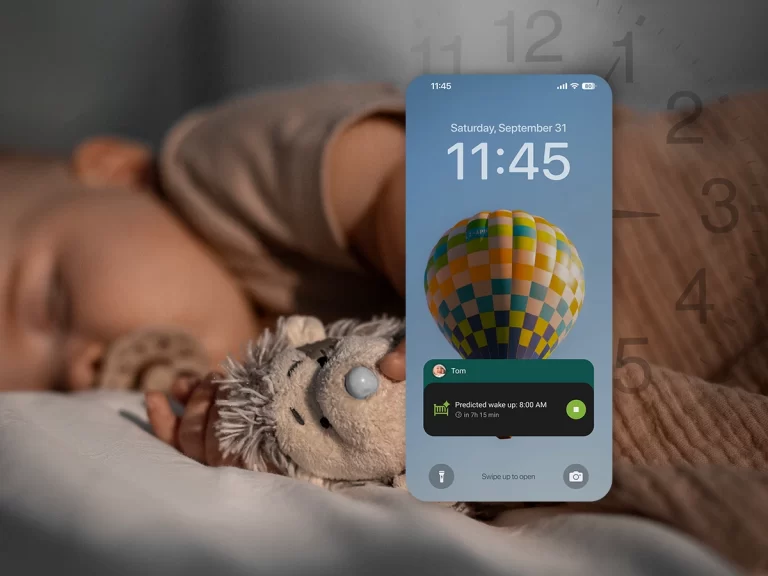
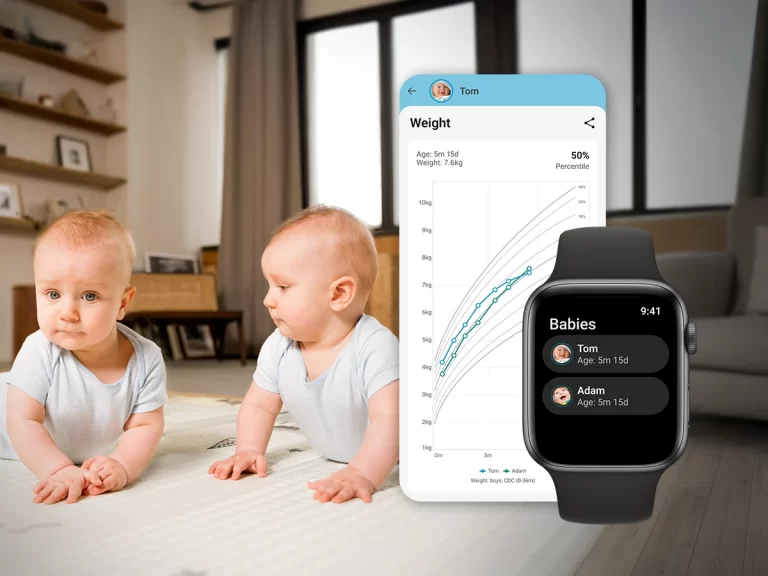
Baby Daybook also offers several ways to keep track of sleep without opening the app. Home Screen widgets are available on both iOS and Android, while ongoing sleep can remain visible through Live Activities on iOS and persistent notifications on Android. Apple Watch and Wear OS apps provide another way to check and control tracking from your wrist.
Free vs. Paid
Free
- Unlimited activity logging
- Today timeline
- Next predicted sleep period
- iOS and Android widgets
- Apple Watch and Wear OS support
- Timeline with a limited window of history
- Basic Statistics
Premium
- Full predicted sleep schedule for the rest of the day
- Family Sync
- Advanced reports and Timeline export
- Unlimited Timeline history
Best for
Parents who want adaptive Sleep Predictions together with comprehensive baby tracking.
Things to Know
- Personalized Sleep Predictions begin at 2 months.
- The free version shows the next Sleep Prediction, while the full day’s schedule requires Premium.
- Apple Shortcuts can be used to log activities, including naps, with a tap or Siri voice command.
- Sleep Predictions can be turned off if you prefer to use the app only for tracking.
Huckleberry: Best for Personalized Sleep Guidance
Huckleberry combines sleep tracking with guidance tools designed to help parents make informed sleep decisions. Alongside sleep tracking, it offers SweetSpot® predictions, Sleep Insights, Personalized Sleep Plans, and Berry AI to provide additional support as your baby’s sleep routine develops.
Unlike apps that continuously update a full-day sleep schedule, Huckleberry focuses on predicting the next sleep period through SweetSpot while offering separate planning and personalized guidance tools for longer-term routines.
Sleep Guidance
Huckleberry’s signature feature is SweetSpot®, which estimates the next nap or bedtime using your baby’s age and recent sleep history. SweetSpot becomes available from 2 months; before then, Huckleberry provides general age-based sleep guidance rather than personalized next-sleep predictions. Once SweetSpot is available, each new sleep entry updates its recommendation.
Parents looking for more structured support can also use Personalized Sleep Plans, which provide longer-term recommendations based on your baby’s age, logged sleep patterns, and questionnaire responses.
Depending on your subscription, Huckleberry also includes Sleep Insights, Berry AI, and Schedule Creator for building a day plan. However, unlike SweetSpot predictions, schedules created with Schedule Creator don’t automatically adapt as new sleep is logged.

Daily Use
Previously saved sleep sessions can be edited through the Reports tab, where you can select an entry to adjust its start and end times or other sleep details. Sleep entries can include additional details such as how your baby fell asleep, how long it took, mood before and after sleep, and whether they woke naturally or were woken.
The app also tracks feeding, diapers, pumping, medication, growth, temperature, and other daily activities. Parents can choose which activities appear on the home screen, helping keep the app focused on the information they use most often.
With a paid membership, Huckleberry’s iOS widgets provide quick tracking and can show information such as the next SweetSpot or recent sleep activity. Ongoing sleep can also remain visible through Lock Screen Updates.
Free vs. Paid
Free
- Sleep and baby-care tracking
- Basic reports
- Caregiver syncing
Plus
- SweetSpot predictions
- Sleep Insights
- Schedule Creator
- Enhanced reports
- AI-assisted logging tools
- Apple Watch support
Premium — Everything in Plus, plus:
- Berry AI parenting assistant
- Expert-designed, personalized sleep plans
Best for
Parents who want personalized sleep guidance in addition to sleep tracking.
Things to Know
- SweetSpot predictions require a Plus or Premium membership
- SweetSpot is available from 2 months of age.
- Sleep Insights are available for children up to 17 months.
Napper: Best for Visual Sleep Scheduling
Napper combines an automatically updating sleep schedule with a sleep-focused baby tracker. As your baby sleeps throughout the day, the remaining schedule updates to reflect the latest sleep activity.
If your main goal is knowing what comes next, Napper offers a highly visual way to follow the day’s sleep schedule.
Sleep Guidance
Napper creates a sleep schedule that updates as sleep is logged. On the free tier, the schedule is age-based, while personalized sleep analysis and scheduling require Napper Unlimited.
Each logged nap automatically updates the schedule on both free and paid tiers, adjusting the remaining wake windows, upcoming naps, and bedtime around that day’s sleep.

Daily Use
The circular schedule is the centerpiece of the app, showing where your baby is in the day’s sleep routine and how much wake time remains before the next sleep. Logged sleep periods can also be opened directly from this view to adjust their times or resume tracking.
Beyond sleep, Napper can also track feeding, diapers, pumping, medication, and growth, although these additional tracking categories require Unlimited. Sleep logging remains available for free.
Napper also includes Infant Sleep School, a 14-day educational course covering sleep and attachment, an extensive sleep-sounds library, and an optional bedtime-routine timer.
Napper’s iOS widgets stay closely aligned with its sleep-focused design. They display the upcoming predicted sleep time and countdown with a Track button for starting sleep logging. The Apple Watch app also lets you track sleep from your wrist, while additional baby-care tracking categories require Unlimited, just as they do in the main app.
Free vs. Paid
Free
- Sleep tracking for waking, naps, and bedtime
- Age-based sleep schedule that updates as naps are logged
- Bedtime-routine timer
- Apple Watch sleep tracking
Unlimited
- Personalized sleep schedule and analysis
- Logging for feeding, diapers, pumping, medication, and growth
- Sleep trends and statistics
- Infant Sleep School beyond the introductory content
- Sleep sounds
- Unlimited history
Best for
Parents who want a sleep-focused app with personalized scheduling, sleep analysis, and a simple, visual interface.
Things to Know
- Napper recommends logging sleep for 3–7 days to calculate personalized wake windows and sleep times.
- The free schedule is age-based; personalized sleep analysis and scheduling require Unlimited.
- Napper requires an internet connection to log activities; logging isn’t available while offline.
Other Baby Sleep Tracking Apps Worth Considering
Nara Baby – A simple option for parents who mainly want straightforward sleep and baby-care logging without advanced sleep predictions.
Baby Tracker (Nighp Software) – A streamlined baby tracker for recording sleep alongside feeding, diapers, growth, and other daily activities, with reports for reviewing patterns over time.
Baby Connect – A detailed tracking option for families who want extensive records, reporting, customization, and caregiver sharing.
Need more than sleep tracking? If you’re also comparing feeding, diapers, pumping, growth, medications, health, routines, and other everyday baby tracking features, see our guide to the Best Baby Tracking Apps: Tested & Compared (2026) for a broader comparison.
Final Thoughts
The best baby sleep tracking app should do more than record when your baby sleeps. It should make that information easier to understand and useful when you’re wondering what might happen next.
For parents looking for adaptive sleep predictions alongside comprehensive baby tracking, Baby Daybook is a strong all-around choice. Huckleberry may be a better fit if you want additional personalized sleep guidance through SweetSpot, Sleep Plans, and Berry, while Napper stands out for parents who prefer a sleep-focused experience built around an updating visual schedule.
Ultimately, the right app is the one that gives you the information you find most useful without making an already busy day feel more complicated.

Frequently Asked Questions
What is the best baby sleep tracking app in 2026?
The best choice depends on what you want from a sleep tracker. Baby Daybook combines adaptive Sleep Predictions with comprehensive baby tracking, Huckleberry focuses more on personalized sleep guidance, and Napper centers the experience around an updating visual sleep schedule.
What is the best free baby sleep tracking app?
It depends on what you want from the free version. Baby Daybook includes sleep tracking and the next Sleep Prediction for free, while Napper includes sleep tracking and an age-based schedule that updates throughout the day. Huckleberry offers free sleep tracking, but SweetSpot predictions require a paid membership.
Are baby sleep predictions accurate?
Sleep predictions are estimates, not guarantees. Apps use information such as your baby’s age and logged sleep to estimate upcoming naps or bedtime, but your baby’s cues and actual sleep can still vary from day to day.
Is it worth tracking my baby’s sleep?
For many parents, yes. Sleep tracking can make it easier to remember nap and wake times, recognize patterns, and understand how your baby’s routine changes over time.