
Parenting a newborn can feel like managing dozens of tiny details at once: feedings, naps, diapers, pumping sessions, medications, and trying to remember when everyone last slept. That’s why newborn trackers and baby tracking apps have become an everyday tool for many modern families.
But today’s baby tracking apps are no longer just digital notebooks. Parents increasingly want tools that reduce mental load, help them notice patterns, share care with others, and adapt as their baby grows. During those first months, many parents aren’t looking for more information. They’re looking for one less thing to remember.
The challenge is that baby tracking apps are no longer all trying to solve the same problem. Some focus on sleep guidance, some on simplicity, some on detailed records, and others on combining tracking with broader parenting support.
Here’s how some of the most popular baby tracking apps compare and which type of parent each one may fit best.
Best Baby Tracking Apps Compared
How We Compared These Apps
We spent time using each app included in this comparison, comparing how they handle everyday tracking, sleep tools, caregiver sharing, reminders, reports, exports, customization, widgets, wearable support, and overall ease of use. Rather than ranking apps by the length of their feature lists, we focused on how each app performs in everyday use and the type of family it’s best suited for.
Baby Daybook
Baby Daybook is one of the most flexible and customizable baby trackers available. Rather than forcing a particular workflow, it adapts to your family’s routine while offering comprehensive tracking for feeding, sleep, health, growth, routines, and memories.

Highlights
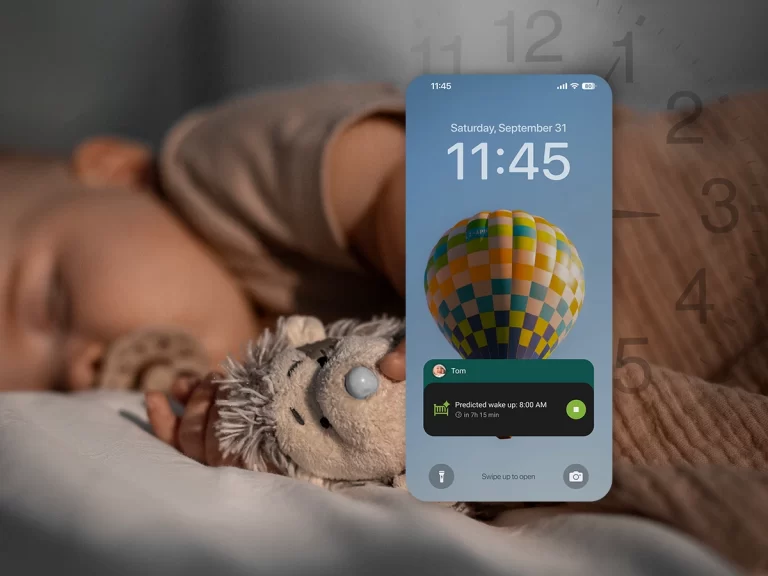
- Adaptive full-day sleep predictions that update throughout the day as you log sleep.
- Extensive customization, including custom trackers and the ability to use the app with or without sleep predictions.
- Visual daily timeline, plus detailed statistics, filters, and comprehensive exports for reviewing your baby’s routines over time.
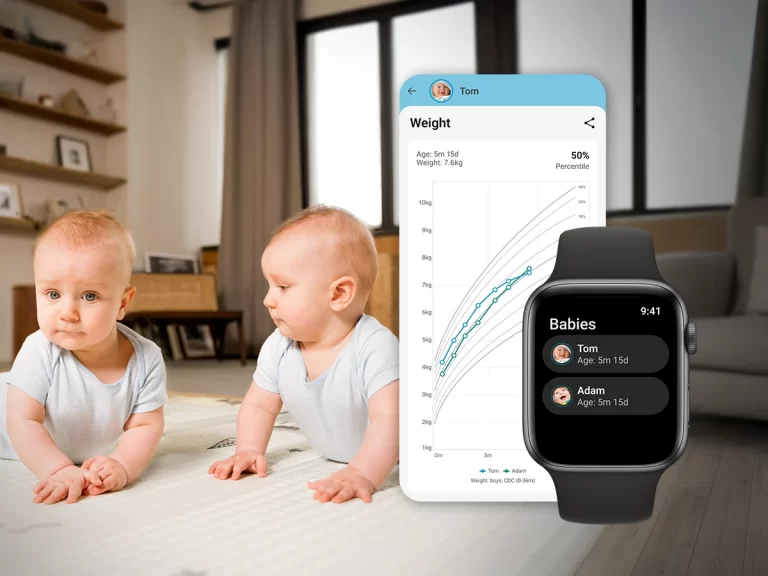
- Free widgets and dedicated apps for Apple Watch and Wear OS.
What makes it different
Baby Daybook is designed around your daily routine rather than a single feature. Favorite trackers, today’s timeline, and quick logging all live on the same screen, making it easy to move between checking what happened earlier, reviewing patterns with filters and exports, and recording the next activity. Unlike sleep-focused apps, it lets parents choose whether they want guidance or simply a reliable daily tracker.
Things to know
- The free version predicts your baby’s next sleep period, while Premium shows the complete predicted sleep schedule for the day.
- Family sharing and advanced reports require Premium.
Best for
Parents who want one app that adapts to their routine instead of asking them to adapt to the app. It can be as detailed as you want or as simple as you need.
Huckleberry
Huckleberry is built around one goal: helping parents build better sleep habits through personalized guidance. While it includes feeding, diaper, pumping, growth, and health tracking, sleep is the app’s primary focus.

Highlights
- SweetSpot predicts nap and bedtime windows.
- Personalized wake-window recommendations.
- Sleep coaching and expert guidance.
- Detailed sleep insights and reports.
What makes it different
Open Huckleberry and it’s immediately clear what the app is designed for. Before you start logging feeding or diapers, you’re introduced to SweetSpot and sleep guidance. If better naps are your goal, that focus is reassuring. If you’re simply looking for a neutral baby tracker, sleep always takes center stage.
Things to know
- SweetSpot and sleep coaching require a paid subscription.
- If you mainly want a general baby tracker, the sleep-first workflow may feel more prescriptive than necessary.
- Widgets, Apple Watch support, Live Activities, and advanced reports are Premium features.
Best for
Parents who want to focus mainly on improving naps and bedtime routines. It suits those who are comfortable following structured sleep guidance and logging consistently.
Napper
Napper approaches baby tracking through the lens of your baby’s sleep schedule. Instead of treating sleep as just another activity, it places today’s schedule, wake windows, and upcoming naps at the center of the experience.

Highlights
- Personalized wake-window recommendations.
- Daily sleep schedule updates automatically as naps are logged.
- Circular planner designed around your baby’s daily sleep routine.
- Built around planning upcoming naps instead of simply logging past events.
What makes it different
Napper puts its full-day predicted sleep schedule front and center. A large circular timeline takes up most of the screen, showing predicted sleep periods and updating the remaining schedule whenever a nap is logged. Napper focuses almost entirely on this visual overview.
Things to know
- Feeding, diaper, pumping, and health tracking require a subscription.
- Limited as a general baby tracker if you want to record all aspects of your baby’s day.
- The schedule-first approach leaves less room for flexible everyday logging.
Best for
Parents who prefer planning sleep around a visual, predicted schedule. It suits those who want sleep-focused tracking rather than a broader overview of baby care.
Glow Baby
Glow Baby combines a baby tracker with a parenting community. Alongside feeding, sleep, health, and milestones, it offers discussion groups, articles, and educational content for new parents.

Highlights
- Combines baby tracking with one of the largest parenting communities.
- Supports tracking for feeding, sleep, health, growth, and milestones.
- Favorite trackers make logging quicker from the home screen.
- Includes articles, health tips, and parent discussions alongside baby tracking.
What makes it different
Glow Baby doesn’t focus only on your baby’s records. As you move around the app, tracking is mixed with parenting articles, discussions, messages, and other resources, making it feel more like a parenting platform with built-in baby tracking.
Things to know
- Free users can log up to 15 activities per day.
- Most charts, insights, forecasts, reports, exports, and caregiver sharing require Glow Premium.
Best for
Parents who want baby tracking, parenting advice, and community discussions in one place. It brings the practical and social sides of parenting together in a broader platform.
Baby Connect
Baby Connect is designed for parents who want to keep detailed records. It offers one of the widest ranges of built-in tracking categories, making it feel more like a digital baby journal than a typical baby tracker.

Highlights
- One of the widest ranges of built-in tracking categories.
- Designed for detailed record-keeping rather than guided recommendations.
- Chronological history that makes it easy to review past activities.
What makes it different
Baby Connect feels different from the moment it opens. Rather than guiding you through today’s routine, it separates logging, history, summaries, and graphs into different sections that take time to get used to. Once activities are logged, reviewing your baby’s history is straightforward, but the app has a steeper learning curve than most modern baby trackers.
Things to know
- After the 7-day trial, a subscription is required to continue logging new entries.
- The app takes longer to get used to than the other apps.
- Parents looking for sleep guidance or a simpler daily workflow may prefer other apps.
Best for
Parents who want to record a large amount of information and keep it organized over time. It suits families who are comfortable with detailed tracking, reports, and a more data-focused experience.
Choosing the Right App Is About Fit, Not Perfection
There isn’t a single “best” baby tracking app. The right choice depends on what makes everyday life with your newborn easier.
After spending time with these apps, one thing became clear: most of them can track the same information, but they don’t feel the same to use.
The biggest differences aren’t the number of features or the subscription price. They’re in the everyday experience – how quickly you can log an activity, whether the app guides you or stays out of the way, and whether it fits naturally into your routine.
Don’t be afraid to try a couple of apps before deciding. Spending a few days with each one often tells you far more than comparing feature lists. The app that still feels natural after a busy day with your baby is usually the one worth keeping.
The best baby tracker isn’t the one with the longest feature list. It’s the one that quietly fits into your family’s routine – one you’ll still be using a few months from now because it helps instead of getting in the way.

Frequently Asked Questions About Baby Tracking Apps
What is the best app for tracking a baby in 2026?
There isn’t a single best baby tracking app for every family. The right choice depends on your priorities. Some parents want sleep guidance, while others prefer simple logging or an all-in-one tracker for feeding, sleep, health, and milestones.
Do I really need a baby tracking app?
Not necessarily. Many parents are perfectly happy without one. However, during the newborn stage, a baby tracker can make it easier to remember feedings, naps, medications, and other routines while helping you spot patterns over time.
Can multiple caregivers use the same baby tracking app?
Yes. Most baby tracking apps and newborn trackers let parents and other caregivers share information. Some use shared accounts, while others offer separate caregiver profiles. If multiple people care for your baby, check how each app handles syncing and sharing.
Which baby tracking app is best for sleep?
If sleep is your priority, choose an app with features like sleep predictions, wake-window guidance, or sleep insights. If you only want to record naps, a general baby tracker may be all you need.
Can baby tracking apps be used offline?
It depends on the app. Some let you log activities offline and sync them later, while others require an internet access for certain features. If you expect to be offline regularly, it’s worth checking how the app handles syncing before you decide.
Do baby tracking apps track more than sleep and feeding?
Yes. Most apps also track diaper changes, growth, medications, milestones, notes, pumping, tummy time, baths, and other everyday activities, although the available features vary between apps.
Should I try more than one baby tracking app?
Yes. Most apps offer a free version or trial, making it easy to compare them. Since many track similar information, spending a few days with two or three apps is often the best way to find one that fits your routine.